
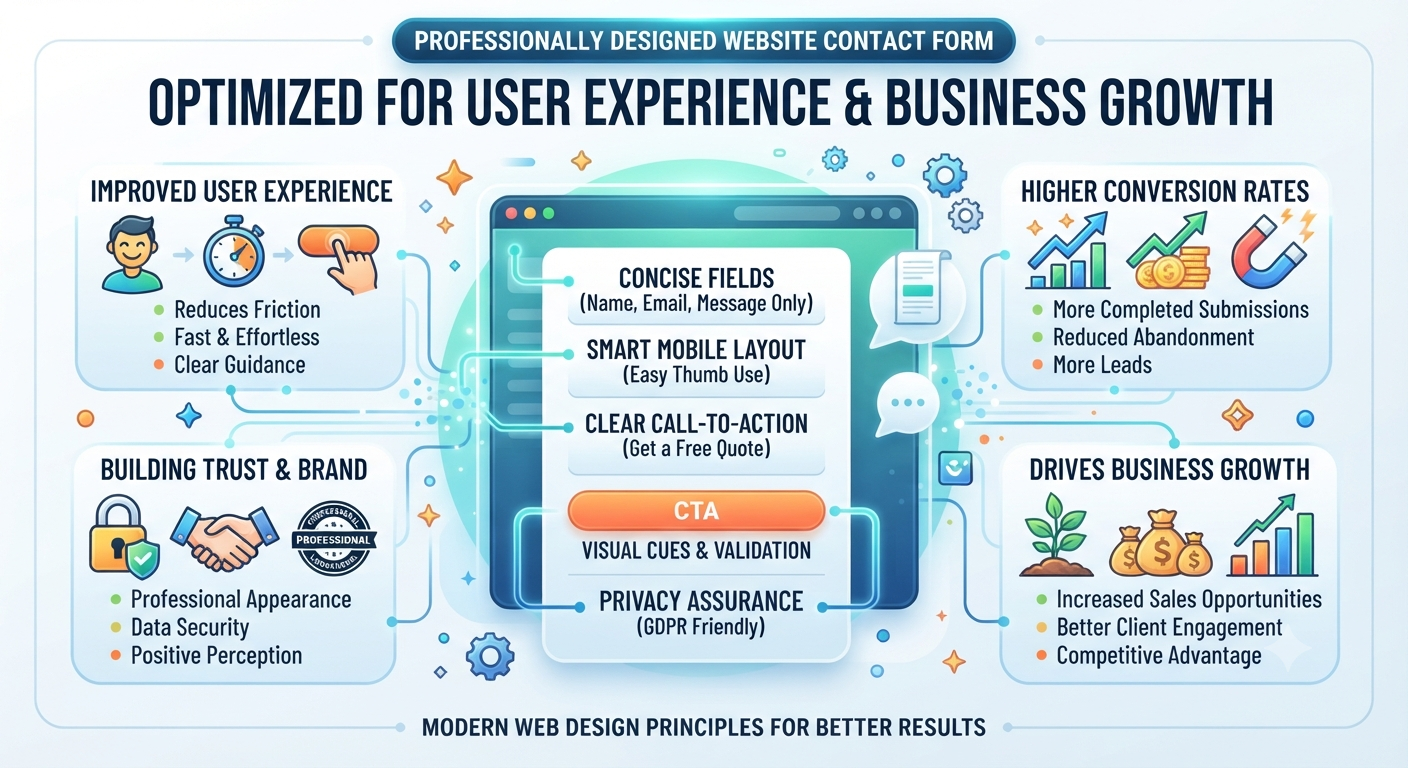
Why Website Forms Should Be Optimized for More Enquiries
Why Website Forms Should Be Optimized for More Enquiries
A business website serves many purposes. It introduces a company’s products and services, builds credibility, provides useful information, and attracts potential customers through digital marketing. However, one of its most important functions is converting website visitors into genuine business enquiries.
For many businesses, the primary way customers make contact is through a website form. Whether visitors are requesting a quotation, booking a consultation, asking a question, or submitting a service enquiry, the website form often represents the final step before a potential customer becomes a lead.
Despite its importance, website forms are frequently overlooked during website design and development. Forms that are too long, confusing, difficult to complete, or poorly positioned can discourage visitors from making contact. Even businesses that attract significant website traffic may lose valuable enquiries simply because their forms create unnecessary barriers.
Optimising website forms helps create a smoother user experience, encourages visitors to complete enquiries, and improves the overall conversion performance of a business website.
Why Website Forms Matter
Every business website includes one or more forms designed to collect information from potential customers.
Common examples include:
- Contact forms
- Quote request forms
- Consultation booking forms
- Service enquiry forms
- Appointment booking forms
- Support request forms
These forms provide visitors with a convenient way to communicate without making a phone call or sending an email.
When forms are easy to use, visitors are far more likely to complete them, increasing opportunities for businesses to generate qualified leads.
Website Forms Are Part of the Customer Journey
A customer rarely submits an enquiry immediately after visiting a website.
Instead, they usually follow a journey that includes:
- Discovering the website
- Reading about services
- Comparing solutions
- Building trust
- Deciding to make contact
The website form is often the final stage of this journey.
If completing the form becomes frustrating or time-consuming, visitors may abandon the process altogether.
Optimising the form helps remove unnecessary obstacles and supports a smoother transition from visitor to customer.
Simple Forms Improve User Experience
Many businesses assume that asking for more information will generate better-quality enquiries.
In reality, requesting excessive information often discourages users from completing the form.
A well-designed website form focuses only on information that is genuinely necessary.
Common fields include:
- Name
- Email address
- Phone number
- Service required
- Brief message
Keeping forms simple allows visitors to complete them quickly while reducing frustration.
A shorter form often results in more completed enquiries without sacrificing lead quality.
Mobile-Friendly Forms Increase Conversions
A large percentage of website visitors now browse using smartphones and tablets.
If website forms are not optimised for mobile devices, users may experience:
- Small input fields
- Difficult typing
- Poor button placement
- Slow loading
- Complicated layouts
These issues often cause visitors to leave without submitting an enquiry.
Responsive web design ensures forms remain easy to complete on every screen size.
Large buttons, clear spacing, readable text, and touch-friendly layouts all contribute to a better mobile experience.
Clear Labels Reduce Confusion
Visitors should immediately understand what information each field requires.
Using clear and descriptive labels helps eliminate uncertainty.
For example:
- Full Name
- Email Address
- Phone Number
- Company Name
- Service Required
- Your Message
Simple instructions reduce errors and improve the overall user experience.
When users understand exactly what is expected, they are more likely to complete the form confidently.
Form Placement Affects Enquiry Rates
Even an excellent contact form may perform poorly if visitors struggle to find it.
Strategic placement makes a significant difference.
Effective locations include:
- Contact page
- Service pages
- Landing pages
- Homepage sections
- Sticky contact buttons
Providing multiple opportunities for visitors to submit enquiries helps improve conversion rates without interrupting the browsing experience.
Reduce Form Abandonment
One of the biggest challenges businesses face is form abandonment.
Form abandonment occurs when visitors begin filling in a form but leave the page before submitting it.
Common reasons include:
Too many required fields
Confusing questions
Long forms
Slow-loading pages
Technical errors
Lack of trust
Poor mobile usability
Every abandoned form represents a potential customer who decided not to continue.
By simplifying the form and improving its usability, businesses can significantly reduce abandonment rates and generate more enquiries.
Build Customer Confidence
Visitors are more likely to submit their personal information when they trust the website.
A professionally designed website form should reassure users that their information will be handled securely.
Businesses can strengthen trust by including:
Professional website design
HTTPS security
Privacy policy links
Clear contact information
Business credentials
Customer testimonials
These trust signals help visitors feel more comfortable completing an enquiry form.
The more confidence a website creates, the more likely users are to take the next step.
Clear Calls-to-Action Encourage More Enquiries
A contact form should always include a clear and action-oriented call-to-action (CTA).
Instead of generic button text like:
Submit
Businesses can use more engaging alternatives such as:
Request a Free Quote
Get a Consultation
Contact Our Team
Book an Appointment
Speak With an Expert
Clear calls-to-action help visitors understand exactly what will happen after clicking the button, reducing hesitation and improving conversion rates.
Fast Website Performance Supports Form Completion
Even a well-designed form can lose potential enquiries if the website performs poorly.
Slow-loading pages often cause users to leave before completing the form.
Website optimisation helps ensure:
Faster page loading
Smooth form submission
Better mobile performance
Reduced waiting times
Improved browsing experience
A fast and responsive website keeps visitors engaged and increases the likelihood that they will complete their enquiry.
Test Forms Regularly
Website forms should not be treated as a “set and forget” feature.
As websites evolve, forms should be tested regularly to ensure they continue working correctly.
Routine testing helps identify:
Broken form fields
Submission errors
Missing email notifications
Mobile display issues
Slow response times
Regular testing ensures enquiries are received successfully and prevents businesses from unknowingly losing valuable leads due to technical problems.
Professional Website Development Makes a Difference
Creating a high-converting enquiry form involves more than simply adding fields to a webpage.
Professional website developers consider factors such as:
User behaviour
Conversion optimisation
Mobile responsiveness
Website performance
Accessibility
Security
Lead generation strategy
By combining these elements, businesses can create forms that not only look professional but also encourage more visitors to make contact.
A professionally developed website ensures that every part of the customer journey supports business growth.
Long-Term Benefits of Optimised Website Forms
Investing in website form optimisation provides numerous long-term advantages.
Benefits include:
✔ More business enquiries
✔ Higher website conversion rates
✔ Better user experience
✔ Improved mobile usability
✔ Reduced form abandonment
✔ Increased customer confidence
✔ Better lead generation
✔ Stronger return on digital marketing investment
Rather than focusing only on increasing website traffic, businesses should also ensure that visitors can easily take action once they arrive. Optimised forms help convert more of those visitors into genuine business opportunities.
Conclusion
A website may attract hundreds or even thousands of visitors each month, but traffic alone does not generate business growth. The true value of a business website lies in its ability to convert interested visitors into genuine enquiries and potential customers. Website forms play a critical role in making that happen.
An enquiry form should be simple, easy to complete, mobile-friendly, and strategically placed throughout the website. Visitors should never feel confused or frustrated when trying to contact a business. By reducing unnecessary fields, improving usability, strengthening trust, and ensuring forms function correctly across all devices, businesses can significantly increase the number of completed enquiries.
Regular testing and optimisation are equally important. As customer expectations and website technology continue to evolve, reviewing and improving website forms helps maintain high conversion rates while preventing businesses from losing valuable leads due to poor user experience or technical issues.
Investing in professionally designed and optimised website forms is a practical way to improve lead generation, maximise the return on digital marketing efforts, and support long-term business growth.
FAQs
1. Why are website forms important for business websites?
Website forms provide a simple and convenient way for potential customers to contact a business. Whether requesting a quotation, booking a consultation, or making an enquiry, well-designed forms help convert website visitors into qualified leads.
2. How many fields should a website contact form include?
The ideal number depends on the business, but it is generally recommended to request only essential information. Keeping forms short and easy to complete improves the user experience and increases the likelihood that visitors will submit an enquiry.
3. Can website forms affect conversion rates?
Yes. Complicated, slow, or poorly designed forms often discourage visitors from completing enquiries. Optimised forms with clear labels, mobile-friendly layouts, and simple calls-to-action can significantly improve website conversion rates.
4. Why should website forms be mobile-friendly?
Many users browse websites on smartphones and tablets. Mobile-friendly forms with responsive layouts, large input fields, and easy-to-tap buttons make it easier for visitors to complete enquiries from any device.
5. How often should website forms be tested?
Website forms should be tested regularly, especially after website updates or redesigns. Routine testing helps ensure forms submit correctly, email notifications are working, and visitors can complete enquiries without technical problems.