
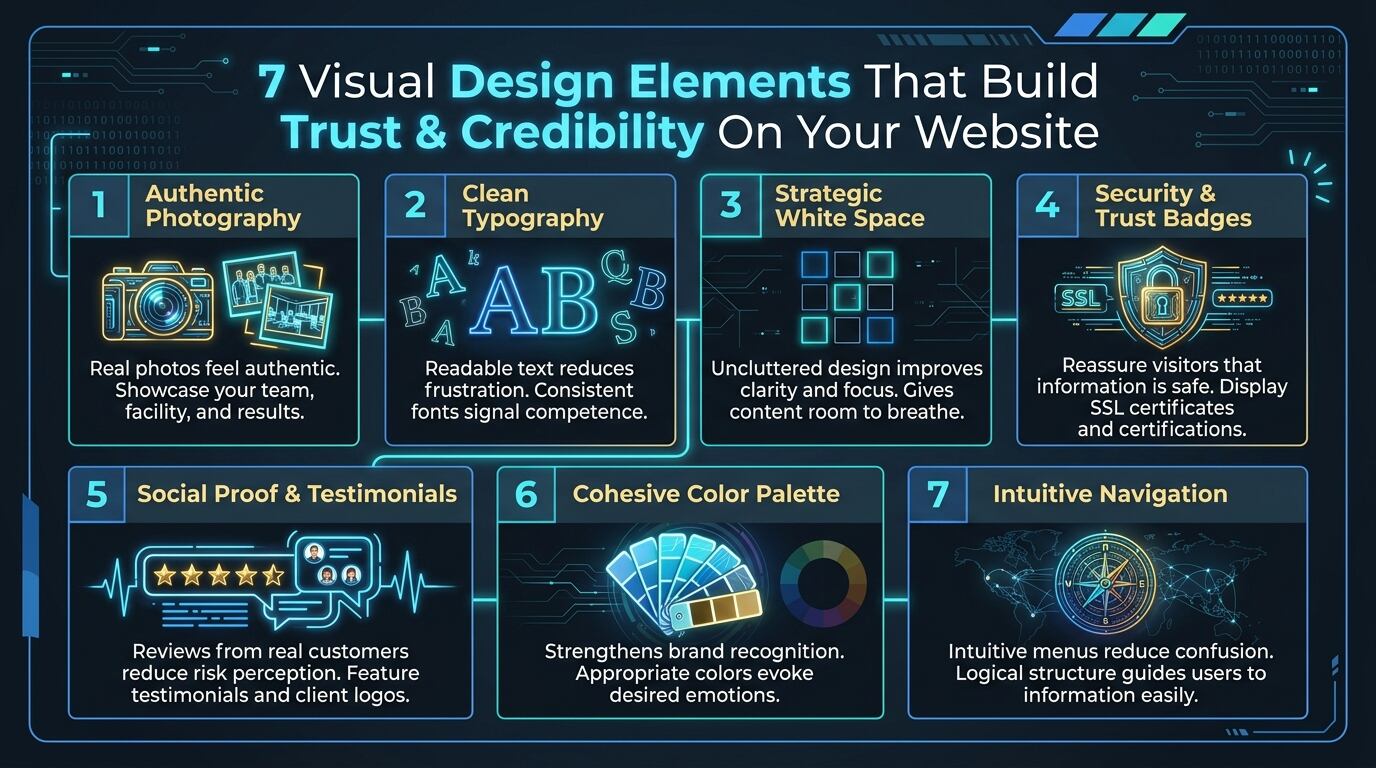
7 Visual Design Elements That Build Trust and Credibility on Your Website
7 Visual Design Elements That Build Trust and Credibility on Your Website
A professional website is often the first interaction a potential customer has with a business. Before making a phone call, sending an enquiry, or visiting a physical location, many people will visit a company’s website to learn more about its products, services, and reputation.
In today’s digital world, visitors make split-second judgments about a business based on what they see. A website that looks outdated, cluttered, or unprofessional can instantly raise doubts, while a clean, well-designed site can build confidence and encourage action.
This is why visual design plays such an important role in establishing trust and credibility online. Every color choice, font selection, image, and layout decision communicates something to your visitors about who you are and whether you can be trusted.
A trustworthy website design helps visitors feel confident in your business, reduces hesitation, and guides them toward taking meaningful actions such as requesting a quotation, booking a service, or making a purchase.
Why Visual Design Affects Trust and Credibility
Not every website that looks attractive is trustworthy, and not every trustworthy website looks the same. However, research consistently shows that visual design has a significant impact on how users perceive credibility.
Some trust issues remain hidden until professional design expertise and user testing are used to identify them.
Common visual problems that damage trust include:
- Outdated layouts and design trends
- Poor quality or generic stock photography
- Inconsistent typography and spacing
- Cluttered pages with no clear focus
- Missing or hidden contact information
- Lack of social proof or testimonials
- Slow-loading or broken visual elements
- Poor mobile responsiveness
These issues may significantly weaken your website’s credibility even if your business offers excellent products or services.
Identifying Hidden Trust Killers
Professional website audits can identify problems that are difficult to detect without proper training and experience.
Common hidden trust killers include:
- Inconsistent brand colors and typography
- Low-resolution images that appear unprofessional
- Poor color contrast affecting readability
- Missing trust badges and security indicators
- Confusing navigation and layout structure
- Stock photos that feel impersonal
- Lack of real team or facility photos
- Outdated design elements that signal a neglected business
These issues may significantly weaken user confidence even if your website appears functional from the outside.
Protecting Your Brand Reputation
Websites that fail to establish visual trust can damage your brand reputation and drive potential customers to competitors.
Without proper visual design, an untrustworthy website may cause:
- High bounce rates and low engagement
- Lost leads and sales opportunities
- Negative first impressions
- Difficulty building customer loyalty
- Reduced credibility in your industry
- Increased customer hesitation
- Lower conversion rates
Professional visual design helps reduce these risks by building confidence before visitors even read your content.
The Importance of Consistent Visual Branding
Consistent branding works together with trust-building design elements to improve long-term credibility.
Elements may include:
- Unified color palette across all pages
- Consistent typography and font hierarchy
- Recognizable logo placement
- Cohesive imagery style
- Standardized button and CTA design
- Uniform spacing and layout patterns
Regular design consistency reduces cognitive load for visitors and helps extend the effectiveness of your brand identity.
Why Mobile Responsiveness Increases Trust
Poor mobile experiences can damage trust even when desktop design is excellent.
Mobile design issues may cause:
- Frustrating navigation experiences
- Unreadable text and tiny buttons
- Slow loading times on mobile devices
- Misaligned or broken layouts
- Difficulty completing forms or purchases
- High mobile bounce rates
- Lost mobile conversions
A professional mobile-first design helps build trust before a visitor decides to engage further.
Commercial Websites Benefit from Trust-Centered Design
Businesses often have websites that serve multiple purposes:
- Generating leads and enquiries
- Showcasing products and services
- Building brand credibility
- Supporting customer service
- Facilitating online transactions
- Attracting new customers
- Retaining existing clients
Regular visual design improvements help businesses reduce credibility risks while maintaining a professional online presence.
Preventive design updates also minimize unexpected drops in conversions caused by outdated or untrustworthy visuals.
7 Visual Design Elements That Build Trust and Credibility
1. Professional Photography and Imagery
Photography is one of the most powerful trust signals on a website. Visitors want to see real people, real facilities, and real work.
Why it builds trust:
- Real photos feel authentic and personal
- Team photos humanize your business
- Before-and-after images demonstrate results
- Facility photos prove you have legitimate operations
Best practices:
- Use original photography whenever possible
- Avoid generic stock photos that feel impersonal
- Ensure images are high-resolution and well-lit
- Include photos of your team, office, and completed work
- Optimize images for fast loading without sacrificing quality
2. Clean, Professional Typography
Typography affects readability, comprehension, and emotional perception. The fonts you choose communicate professionalism and attention to detail.
Why it builds trust:
- Readable text reduces frustration
- Professional fonts signal competence
- Consistent typography shows attention to detail
- Proper hierarchy guides users through content
Best practices:
- Use no more than two to three font families
- Ensure sufficient font size for easy reading
- Maintain consistent line height and spacing
- Choose fonts that align with your brand personality
- Test readability across all devices
3. Strategic Use of White Space
White space (or negative space) is not wasted space. It is a powerful design tool that improves clarity and focus.
Why it builds trust:
- Reduces cognitive load for visitors
- Creates a premium, uncluttered feel
- Directs attention to key elements
- Improves content readability
- Signals confidence and professionalism
Best practices:
- Give content room to breathe
- Use white space to group related elements
- Highlight calls-to-action with surrounding space
- Avoid cramming too much into one screen
- Balance white space with visual interest
4. Trust Badges and Security Indicators
Visible trust signals reassure visitors that their information and transactions are safe.
Why it builds trust:
- Security badges reduce purchase anxiety
- Certifications prove professional credibility
- Awards and recognition validate quality
- Payment logos reassure financial safety
Best practices:
- Display SSL certificates and security seals
- Show industry certifications and memberships
- Include payment gateway logos near checkout
- Feature awards and recognition prominently
- Keep trust badges visible but not overwhelming
5. Social Proof and Testimonials
Social proof demonstrates that others have trusted your business and had positive experiences.
Why it builds trust:
- Reviews from real customers reduce risk perception
- Testimonials provide third-party validation
- Client logos show who you have worked with
- Case studies prove results and expertise
Best practices:
- Feature testimonials with names and photos
- Display client logos prominently
- Include ratings and review counts
- Showcase case studies with measurable results
- Update social proof regularly
6. Consistent Color Palette
Colors evoke emotions and associations. A consistent, well-chosen color palette strengthens brand recognition and trust.
Why it builds trust:
- Consistent colors show professionalism
- Appropriate colors evoke desired emotions
- Proper contrast improves accessibility
- Brand colors increase recognition
Best practices:
- Choose colors that align with your brand values
- Ensure sufficient contrast for readability
- Use color consistently across all pages
- Avoid clashing or overly bright combinations
- Test colors across different devices and screens
7. Clear Navigation and Layout Structure
How users find information on your website directly affects their trust in your business.
Why it builds trust:
- Easy navigation reduces frustration
- Clear structure shows organization
- Logical flow guides users to action
- Intuitive design feels professional
Best practices:
- Use clear, descriptive menu labels
- Keep navigation simple and uncluttered
- Ensure important pages are easy to find
- Use consistent layout patterns throughout
- Include search functionality for larger sites
When Should a Website Visual Audit Be Performed?
Business owners should consider scheduling a visual design audit when:
- The website looks outdated compared to competitors
- Bounce rates are high and conversions are low
- The brand has evolved but the website has not
- New products or services need to be showcased
- Mobile performance is poor
- Customer feedback indicates confusion
- The website has not been updated in over two years
Regular visual audits are especially important for businesses in competitive industries where first impressions matter.
Choosing a Professional Web Design Company
When selecting a web design provider, consider companies that offer:
- Experienced design specialists
- Comprehensive website audits
- User experience expertise
- Mobile-responsive design
- Conversion-focused layouts
- Brand consistency support
- Ongoing maintenance services
- Safety-focused security practices
Working with experienced professionals helps ensure your website is designed to build trust and credibility from the first impression.
Conclusion
Visual design elements play an essential role in building trust and credibility on your website. They help create positive first impressions, improve user experience, and reduce hesitation before visitors take action.
Whether for small businesses, e-commerce stores, or corporate websites, investing in trust-centered visual design provides valuable returns that support long-term business growth. Combined with professional photography, consistent typography, social proof, and clear navigation, these design elements help protect your brand reputation while converting visitors into loyal customers.
FAQs
1. What are visual design elements for trust?
Visual design elements for trust are components of a website’s design that help visitors feel confident in a business. These include professional photography, clean typography, white space, trust badges, social proof, consistent colors, and clear navigation.
2. How does visual design affect website credibility?
Visual design affects credibility by shaping first impressions, influencing readability, and signaling professionalism. A clean, well-designed website communicates competence and attention to detail, while poor design raises doubts and increases bounce rates.
3. Can a website be trustworthy without good design?
While content and functionality matter, visual design plays a significant role in perceived trust. A poorly designed website can undermine even excellent content, while a professionally designed site enhances credibility and encourages engagement.
4. When should I redesign my website for better trust?
You should consider a redesign when your website looks outdated, has high bounce rates, performs poorly on mobile, lacks social proof, or no longer reflects your brand. Regular visual audits every two to three years are also recommended.
5. What happens after a website visual audit?
After completing a visual audit, the design specialist will explain the strengths and weaknesses of your website and recommend suitable improvements. Depending on the findings, this may include updated photography, typography changes, layout redesign, trust badge placement, or a complete website refresh.